Category: Enhancing Your Projects
-
How To Edit Images
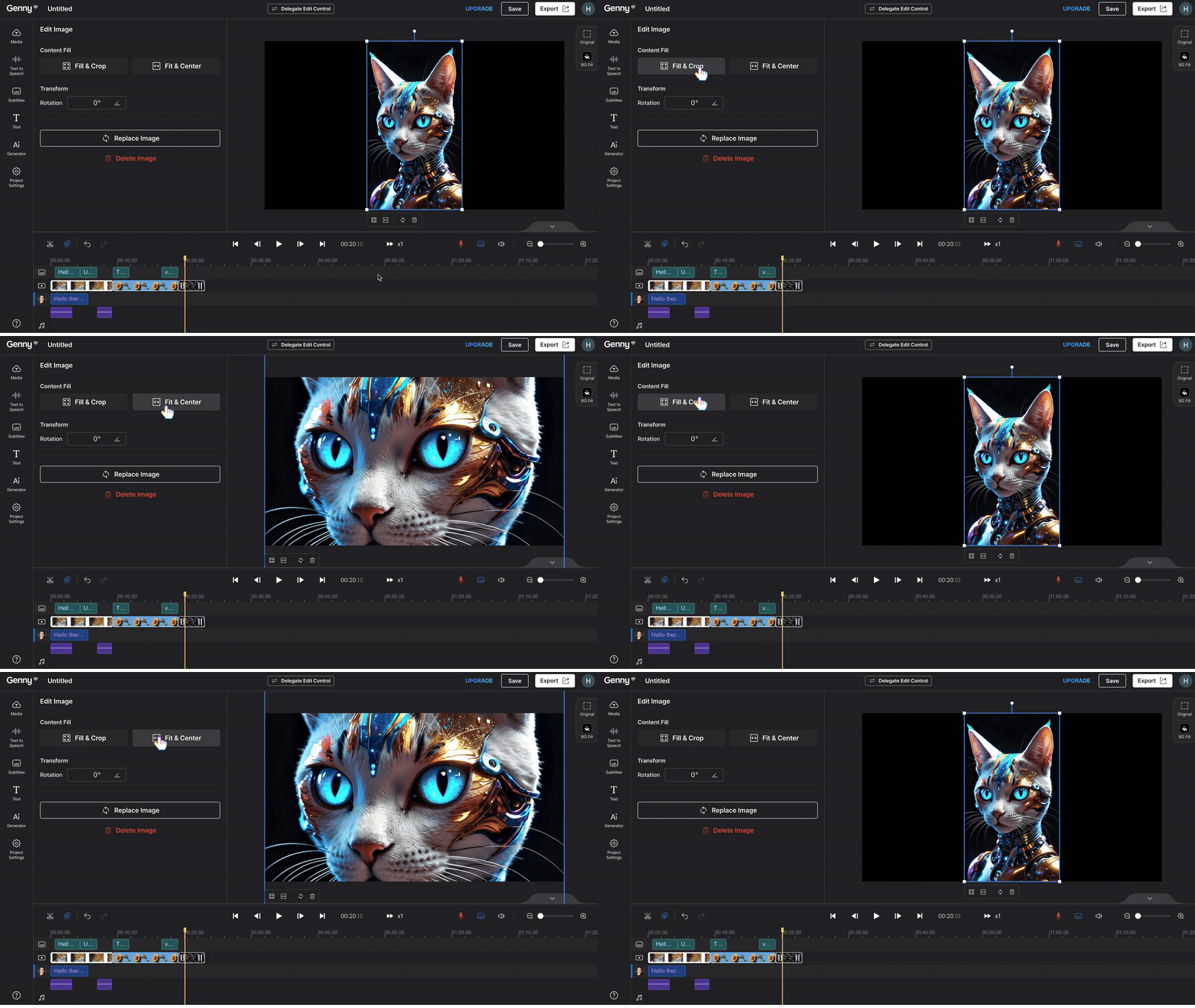
Here are the tutorials for demonstrating Genny’s range of image editing features. Follow along to explore Genny’s user-friendly video editing interface! |Reminder: This feature is applicable to videos as well! Fill & Crop vs. Fit & Center Fill & Crop: This feature fills the entire canvas with the image. When the image doesn’t perfectly match…
-
How To Use Generation History

Don’t let your prior generations go to waste when using Genny AI Generator tools! To help you freely pick and choose the images and sound effects you generated previously, you can use the “Generation History” feature for easy access. Step 1 Click on “AI Generator” on the left-hand side. Then, click “Generation History” to see…
-
How To Generate Sound Effects With AI Sound Effect
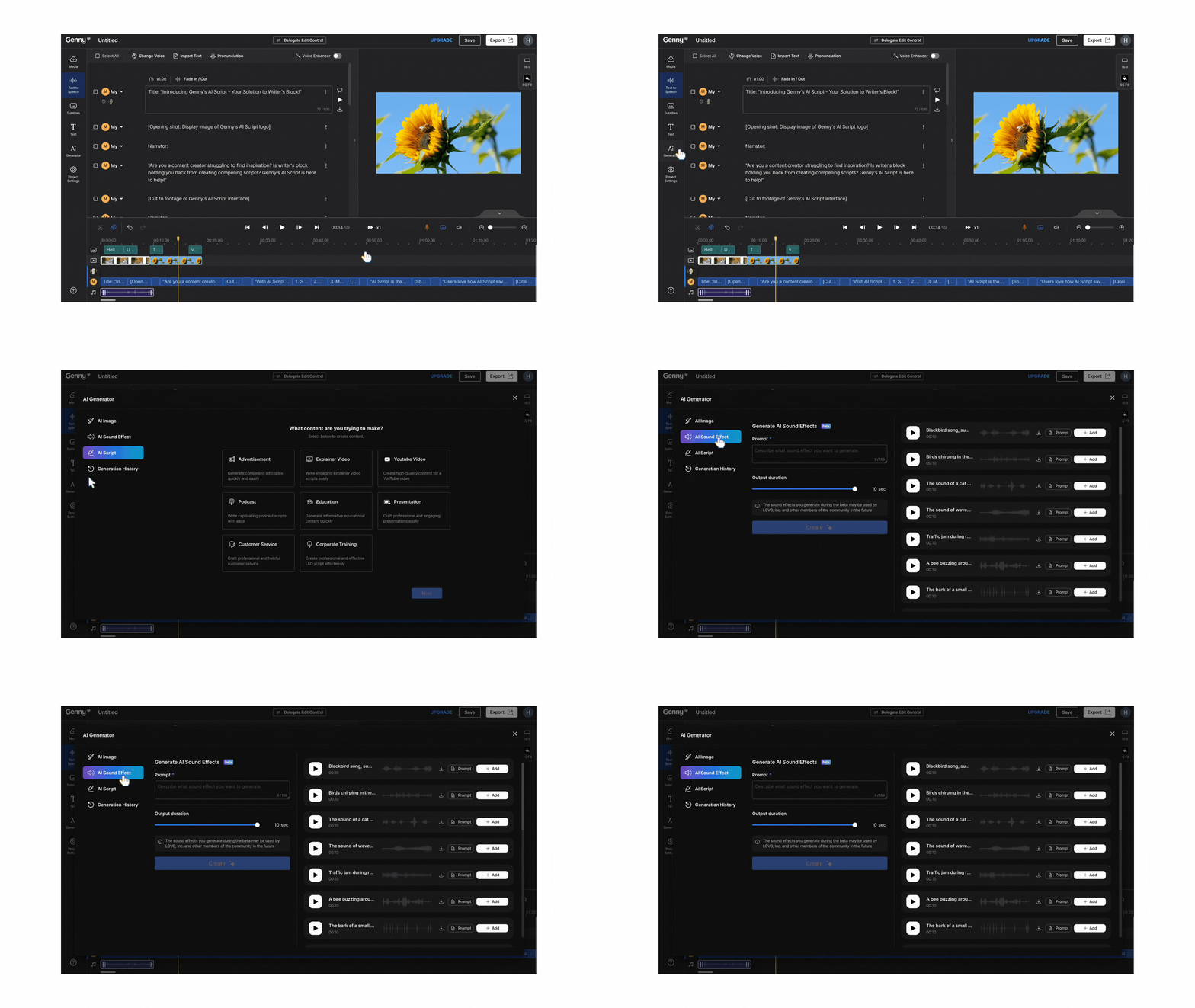
Using the AI Sound Effect helps you create the best sound effects for your content. Here in Genny, you can input your own creativity through our AI-generated sound effects feature. This tutorial will take you through the steps to generate your first sound effect and how to add it to your project. AI Sound Effect…
-
How To Generate Images With AI Image

Adding images to your content can be a great way to bring your content to life. In addition to stock images that are available for use in Genny, you can create your own AI-generated image using our AI Image tool. This tutorial will take you through the steps to generate your first image and how…
-
Creating A Script With AI Script

Before you can start generating your voice, you first need a script! For most of us, we have an idea of what content we want to produce but no idea where to start. This is where our AI Script scriptwriting tool can help you out. In this tutorial, we’ll run through the basics of how…