Category: Billing and Subscription
-
How To Pause Your Subscription

Suppose you are not using your subscription plan for a while, but don’t want to cancel your subscription In that case, the pause subscription feature offers an alternative to canceling your subscription plan entirely, which pauses payment for a number of months before using your subscription again. The pause subscription is only available for monthly…
-
How To Create A Team
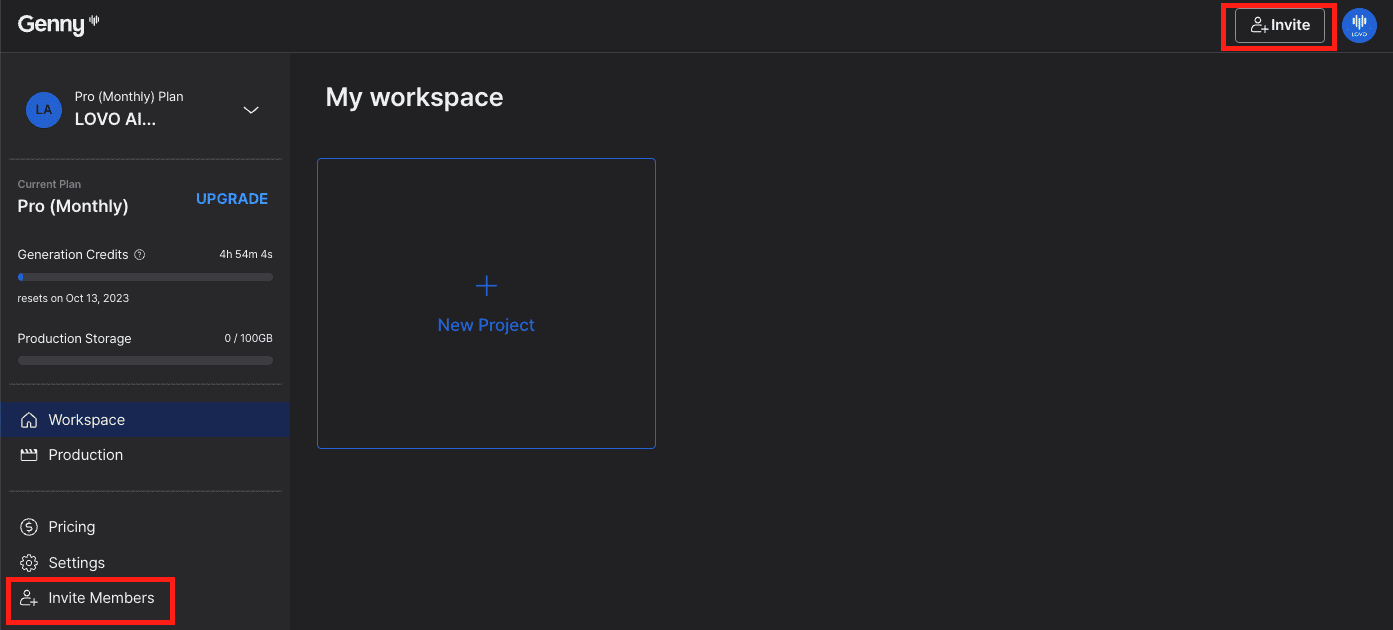
To create a team, you need to be a Pro, Pro+, or Enterprise user. If you are a free or basic user, you can upgrade your subscription to Genny with just a couple of clicks. Step 1 Click on the “Invite Members” button, which can be found on the left of your workspace or at…
-
Cancelling Your Subscription

Canceling your subscription is easy. While we don’t want you to go 🥲, we also don’t want to make canceling difficult. When you cancel your paid subscription your account will automatically become a “Free” plan so you won’t lose any projects you have completed in the past. You can also upgrade to a paid plan…
-
Billing History And Payment Method
It’s super easy and quick to change your payment method. In the Workspace window, click on “Subscription” on the left-hand side. The “Next payment details” shows you the amount and date, along with your payment method for your next payment. Click on the “Change” button that is next to your card details, and input your…
-
View or Upgrade Subscription Plan
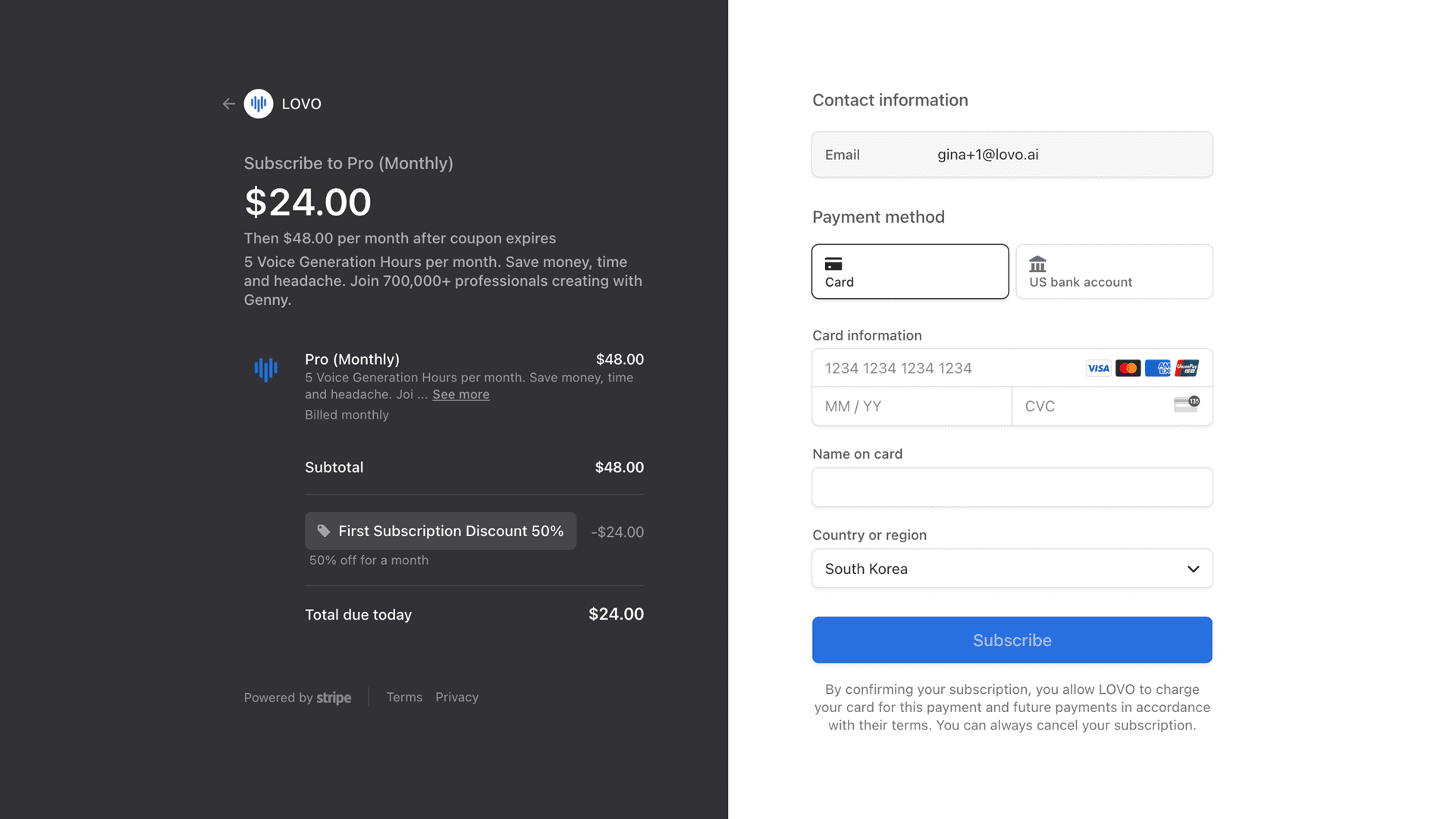
To see what your current subscription plan is, click on the “Subscription” tab when you are in your Workspace. Here, you will be able to check: You can also change or upgrade your plan on this page by clicking on pricing and selecting the plan you would like to change to. Once you have selected…